
OKX: Buy Bitcoin BTC & Crypto
OKX INC.Finance
4.13.99K Reviews
- Version
- 6.185.0
- Installs
- 10.00M
- Age Rating
- Everyone
Screenshots
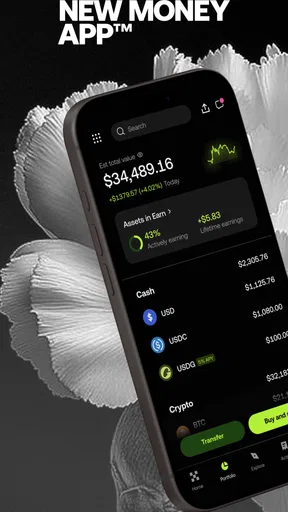
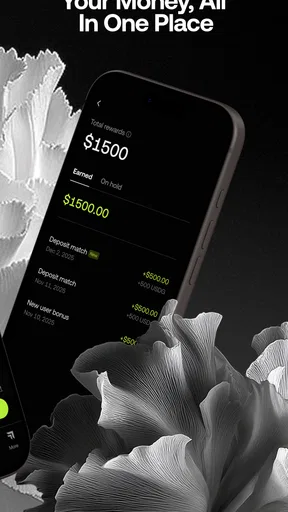
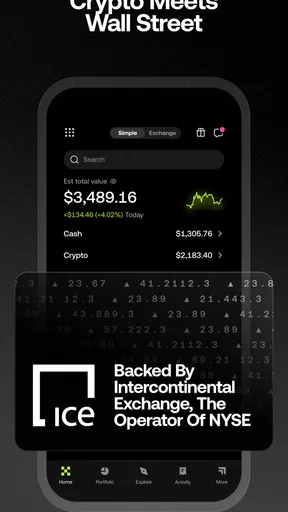
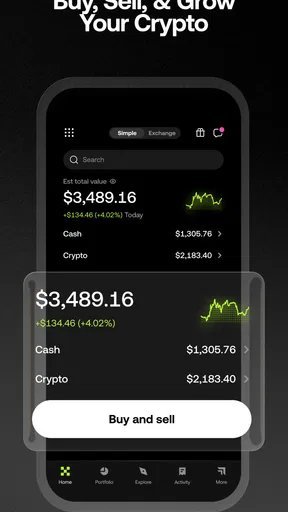
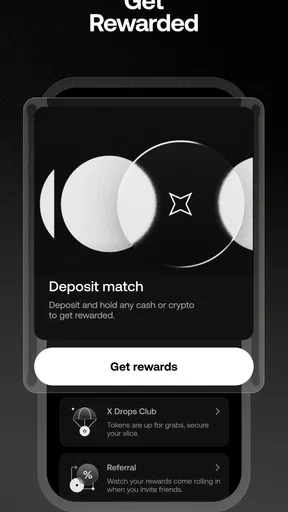
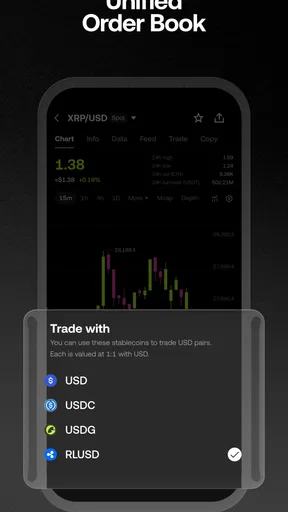
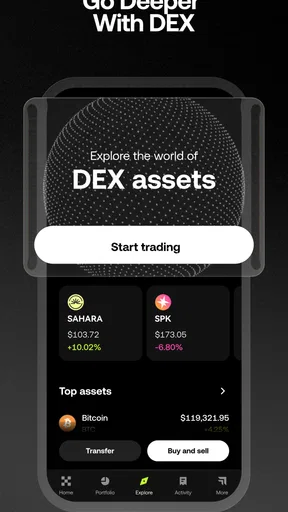
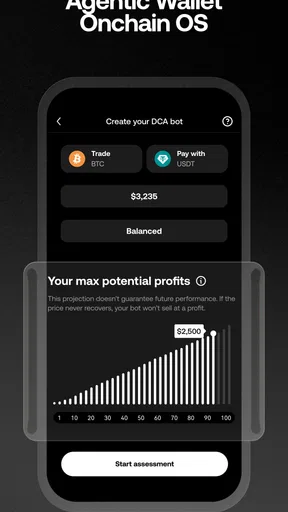
Our Review of OKX: Buy Bitcoin BTC & Crypto
 Analysis by Appyee
I spent time with OKX as a mobile finance app for buying, selling, and trading digital assets, and my first impression was that it is aimed at people who want more than a simple price-watching tool. It brings crypto trading and a Web3 wallet into one place, which can be convenient, but it also means the app asks you to make more decisions than a basic exchange interface. If you are comfortable learning the difference between a straightforward purchase, an active trade, and wallet-based activity, it can become a useful everyday companion. If you only want the least complicated route to occasional crypto ownership, its wider scope may feel like extra work.
The app is free to download and is developed by OKX INC. It belongs to the finance category, has an Everyone age rating, and runs on Android devices using version 7.1 or later. Its current version is 6.185.0. Those details make it accessible to a broad range of phones, although accessibility on paper does not guarantee the same smooth experience on every older device. Crypto apps also handle information that deserves care, so I would treat installation, account setup, and every transaction as tasks that reward patience rather than speed.
How OKX feels during everyday use
I find OKX most useful when I open it with a particular task in mind, rather than treating it as a screen to check whenever I have a spare moment. Its mix of trading and wallet activity makes those focused visits feel purposeful, while also giving me a reason to pause before each decision. In the next section, I’ll look at how I think about trust and user control in a finance app like this.
A quick start, with a learning curve behind it
The opening experience is built around several possible intentions: buying an asset, selling one, trading more actively, exploring NFTs, or using the Web3 wallet. That range is the app’s main strength and its first source of friction. A newcomer may arrive expecting one obvious “buy” path and instead encounter terminology and choices that require a closer read. I found the app more suitable for someone willing to understand what each screen represents than for someone who wants to tap through without thinking.
For a first purchase, I would use a deliberately small amount and read every confirmation screen. The useful habit is to separate the decision into three questions: what asset am I choosing, what type of transaction am I making, and where will the asset be held afterward? Keeping those questions distinct helps prevent a common mistake in crypto apps: assuming that an exchange balance and a wallet balance are interchangeable in every situation. The combined design is convenient, but it makes personal organization important.
The interface feels most effective when I already know my goal. If I want to check a market, make a planned purchase, or move into wallet activity, the broad toolset gives me a direct starting point. When I am merely browsing, the number of possibilities can make the experience feel busier. This is not necessarily a flaw for experienced users, but it does change who will enjoy the app. OKX is better for a curious learner who expects to grow into the platform than for somebody looking for a single-purpose Bitcoin button.
What speed means in a crypto app
Perceived speed here is not only about how quickly a page opens. It also depends on network conditions, account checks, market activity, and the time needed to review a transaction safely. A screen can respond quickly while the action behind it still needs confirmation. I would never use a fast-looking interface as a reason to skip the order details or wallet destination. In this category, careful speed is more valuable than reckless speed.
For routine actions such as opening the app, checking an asset, or moving between its main areas, the experience is most comfortable when the phone has a stable connection and enough free resources. During a calm session, I can imagine using it for a quick morning check or a planned purchase without feeling that the app is designed only for specialists. The more advanced the task becomes, however, the more time I would reserve for checking the details instead of judging the app by its immediate responsiveness.
One practical workflow is to decide the transaction outside the app, then open OKX only to execute that plan. I would write down the asset, amount, and intended destination before entering the order screen. This reduces impulsive taps and makes a busy interface easier to navigate. It is a small change, but it matters because the app combines trading tools with wallet activity, where an incorrect choice can have consequences beyond a delayed screen.
Heavy-use moments and resource demands
The most demanding moments are likely to be the ones that combine several parts of the platform: watching changing markets while preparing a trade, moving between exchange functions and the Web3 wallet, or exploring NFT-related activity while other information is loading. I would expect those sessions to feel heavier than simply opening a balance view. On a newer phone, that may be unremarkable; on an older or heavily loaded device, it is the kind of use that can expose delays, reloads, or less comfortable navigation.
I prefer not to keep a finance app open continuously just to watch prices. Apart from using more battery than a short check, constant attention can encourage emotional decisions. With OKX, a better routine is to open it for a specific purpose, complete the review, and close it again. This approach also makes the app feel less demanding because it limits the amount of time spent moving among markets, wallet tools, and other sections.
Another useful trade-off is the difference between convenience and separation. Having buying, trading, NFTs, and a Web3 wallet together means fewer apps to manage, but it also creates a broader working environment. A user who likes a compact toolkit may appreciate that. Someone who keeps long-term holdings separate from active trading may prefer a simpler exchange plus a dedicated wallet, even if that means switching between applications. In my view, OKX saves effort for users who value integration, while it may add mental load for users who value strict separation.
Stability, interruptions, and recovery
Reliability in this kind of app has two layers. The first is technical: whether the application remains usable while I move through its screens. The second is operational: whether I can clearly understand what happened after an interrupted connection, a paused screen, or an unfinished transaction. The second layer is especially important. If a page stops responding, I would rather verify the account or transaction state before trying the same action again.
My recovery routine would be simple. I would stop tapping, check whether the balance or order history reflects the action, and only then decide whether another attempt is needed. That habit is more valuable than assuming a button failed because the screen did not change immediately. It also protects against accidental duplicate actions. The app’s broad design makes this kind of discipline worthwhile because the same session can involve a market order, a wallet decision, or an asset transfer.
For account recovery, I would keep access details organized before I need them and avoid relying on memory alone. A finance app should not be treated like a casual game that can be reinstalled without preparation. I would also avoid setting up important activity while rushing between places or using an unreliable connection. These are user habits rather than advertised app features, but they directly affect how recoverable the experience feels when something goes wrong.
The app’s public reception suggests that many people use it successfully: it has an average rating of 4.1 from around 925 thousand ratings, with over 4 thousand written reviews and more than 10 million installs. I read that reach as evidence of broad adoption, not as a guarantee that every device or every workflow will feel perfect. A large user base can coexist with a learning curve, especially in a product that serves both straightforward purchases and more involved Web3 activity.
Older phones and practical device limits
Because the minimum Android requirement is 7.1, the app is not limited to recent hardware. That is helpful for people who do not replace phones often. Still, the minimum operating system is only one part of the experience. Available memory, background activity, storage pressure, and the condition of the phone can all affect how comfortable a finance app feels, especially when it presents several information-rich areas.
On an older device, I would keep the session focused. I would avoid opening several other demanding apps at the same time, close unnecessary background activity, and give each screen a moment before repeating a tap. This is particularly sensible before confirming an important action. A slightly slower but deliberate workflow is preferable to trying to force rapid navigation on hardware that is already under strain.
Resource use also affects battery expectations. I would not describe OKX as an app to leave running all day for casual observation. A short check, a planned transaction, and a clear exit are more sensible than constant refreshing. If your main requirement is a lightweight portfolio glance with almost no interaction, a dedicated tracking tool may suit you better. OKX earns its place when you want to act, not merely look.
Where it fits beside simpler alternatives
The usual alternative is a basic exchange app that concentrates on buying and selling a smaller range of assets. That type of product can be easier for a first-time user because the path from cash to an asset is more obvious. OKX offers a wider destination: Bitcoin and Ethereum activity, other crypto assets, NFTs, and a Web3 wallet are brought into the same broader environment. I see that as a meaningful advantage for users who expect to explore, but not automatically for users who want the smallest possible interface.
A second alternative is to use a dedicated wallet separately from an exchange. That arrangement can make the boundary between trading and self-directed wallet activity clearer. The cost is extra setup and switching. OKX’s integrated approach reduces that separation, which is convenient when I want one app for several crypto tasks. The trade-off is that I need to pay closer attention to which area I am using and what kind of transaction I am preparing.
There is also a difference between active trading and long-term holding. The app can support someone who wants to buy and sell, but I would not recommend choosing it solely because it offers many tools. More options do not automatically produce better decisions. A long-term holder who rarely changes a position may prefer a calmer, simpler service. An engaged user who wants to learn about exchange activity and Web3 in one place is more likely to appreciate OKX’s breadth.
Concrete situations where the app makes sense
Imagine checking the market during a lunch break and deciding to make a planned purchase rather than reacting to a sudden price movement. I would open the app, confirm the asset and amount, review the transaction details, and then verify the resulting balance before leaving. That is a realistic use case because it treats OKX as a tool for a defined action, not as a source of constant excitement. The broad platform remains useful without requiring a complicated routine.
Another situation is a user who starts with ordinary crypto purchases but later wants to understand wallet-based activity or explore NFTs. With many simpler apps, that change may require learning a new interface elsewhere. OKX can make the transition more convenient because those areas are part of the same product. The hidden cost is education: moving into a new section does not remove the need to understand addresses, transaction choices, and the difference between holding an asset and interacting with a Web3 service.
For a small business owner or freelancer who receives occasional crypto and needs to check activity on a phone, the app may be useful as a mobile access point. I would still keep business records outside the app and avoid treating the interface as an accounting system. The important insight is that convenience should not replace documentation. A clear external record of purchases, sales, and transfers makes later review much easier than relying on memory or a crowded transaction screen.
Who should use it, and who should skip it
I would recommend OKX to a user who wants one established mobile environment for buying, selling, trading, and exploring a Web3 wallet, and who is willing to learn the distinctions among those activities. It also suits someone who expects their interests to expand beyond a single asset. The free price makes trying the app less demanding financially, although the transactions themselves are a separate matter and should be approached with a budget the user can afford to lose.
I would suggest skipping it if your priority is absolute simplicity, minimal choice, or a purely passive way to track prices. I would also be cautious about recommending it to someone who tends to act impulsively when markets move. A platform with several routes into crypto can make exploration easy, but it can also make overactivity easy. In that case, a more limited service may be the better behavioral fit, even if it offers fewer possibilities.
The Everyone rating describes broad content accessibility, not financial suitability. A beginner still needs to understand that crypto transactions involve risk and that a polished interface cannot remove that risk. I would start with learning, use small test actions, and avoid moving significant value until the exchange and wallet workflows are familiar. That approach is especially important with an app that combines several kinds of crypto activity rather than presenting one narrow function.
My performance verdict
After using it as a mobile finance tool, I see OKX as a broad platform whose performance depends heavily on how much of it I ask the phone to do at once. Focused sessions should feel more manageable than constant market watching or rapid movement among every available section. The app’s real value is not just that it can display crypto information; it is that it gives an ambitious user a path from basic buying into trading and Web3 exploration without immediately needing separate apps.
Its main weakness is the same breadth. A beginner can mistake variety for clarity, and an older phone may feel less comfortable during heavier sessions. Recovery also requires good habits: pause after an interruption, verify the result, and do not repeat an action blindly. Those are reasonable expectations for a finance app, but they mean OKX is not a completely hands-off experience.
Overall, I would choose it when I want an integrated crypto workspace and am prepared to slow down for important actions. I would choose a simpler alternative when my goal is only occasional buying or quiet long-term holding. The app is free, widely used, and accessible on older Android versions, but its best audience is not every phone owner. The strongest reason to install OKX is its combination of trading access and Web3 wallet tools; the strongest reason to hesitate is the attention that combination demands.
If you approach it with a clear plan, a modest starting amount, and a habit of checking every confirmation, the experience becomes much easier to manage. That is how I would recommend it to a friend: use it as a deliberate tool, not as a reason to watch the market every minute. For users who want room to grow beyond basic purchases, OKX is a capable choice. For everyone else, a narrower app may deliver a calmer and more predictable daily experience.
Verdict
Strengths of OKX: Buy Bitcoin BTC & Crypto
- Wide selection of cryptocurrencies and trading pairs
- Advanced charting and order tools for experienced traders
- Supports staking, savings, and other earning options
- Built-in Web3 wallet connects to decentralized applications
- Offers security features such as two-factor authentication
Limitations of OKX: Buy Bitcoin BTC & Crypto
- The interface may feel overwhelming for beginners
- Trading fees and spreads vary by account activity
- Identity verification is required for many features
- Crypto services and availability differ by country
- Digital assets carry significant market and investment risks
Similar Picks in This Category
View All
Google Wallet
Google LLC4.3

Airtel: Recharge, Bank & Loans
Airtel4.0

PayPal - Pay, Send, Save
PayPal Mobile4.2

DANA Indonesia Digital Wallet
PT Espay Debit Indonesia Koe4.5

Binance: Buy Bitcoin & Crypto
Binance Inc.4.8

Cash App
Block, Inc.4.7
Frequently Asked Questions
What is OKX: Buy Bitcoin BTC & Crypto, and what can I do with it?
OKX is a cryptocurrency exchange app that lets users buy, sell, swap, send, receive, and store digital assets from a mobile device. During testing, its main dashboard provided access to spot trading, market charts, price alerts, recurring purchases, and a built-in wallet. Depending on your country, the app may also include futures, margin, staking, Web3 services, and access to decentralized applications.
Is OKX safe to use for buying and storing cryptocurrency?
OKX includes several security options, such as password protection, two-factor authentication, anti-phishing settings, withdrawal controls, and biometric login on compatible devices. However, no exchange or wallet is completely risk-free. Cryptocurrency prices can change rapidly, accounts may be targeted by scams, and some Web3 transactions cannot be reversed. Users should enable every available security feature and never share recovery phrases or verification codes.
What fees does OKX charge for buying, selling, and trading crypto?
OKX fees depend on the transaction type, trading volume, account level, payment method, and the asset being transferred. Spot trading normally uses maker and taker fees, while card purchases, bank transfers, withdrawals, swaps, and blockchain network transactions may have separate costs. Before confirming an order, review the displayed fee, exchange rate, spread, and final amount because these can vary by region and market conditions.
Can beginners use OKX, or is it mainly designed for experienced traders?
Beginners can use OKX because the app offers simple buy and sell screens, asset search, educational information, price charts, and portfolio tracking. Nevertheless, the platform also contains advanced tools such as limit orders, derivatives, leverage, trading bots, and Web3 wallets. New users should start with basic spot purchases, learn how orders work, and avoid leverage or complex products until they fully understand the risks.
What verification and payment requirements are needed to use OKX?
OKX may require identity verification before allowing deposits, purchases, withdrawals, or higher account limits. The exact requirements depend on your location and local regulations, but users may need to provide personal details and an identity document. Available payment methods can include bank transfers, cards, peer-to-peer transactions, or third-party providers. Features, supported currencies, limits, and availability may differ significantly between countries.
